Fonts are one of the core building blocks of a website.
But it’s a confusing world.
There are tons of fonts and I don’t want to spend a lot of time choosing the right one.
Knowing the basics and having a simple process is all you need to pick the right font.
4 types of fonts
Serif, Sans-Serif, Monospace, Display and Script.
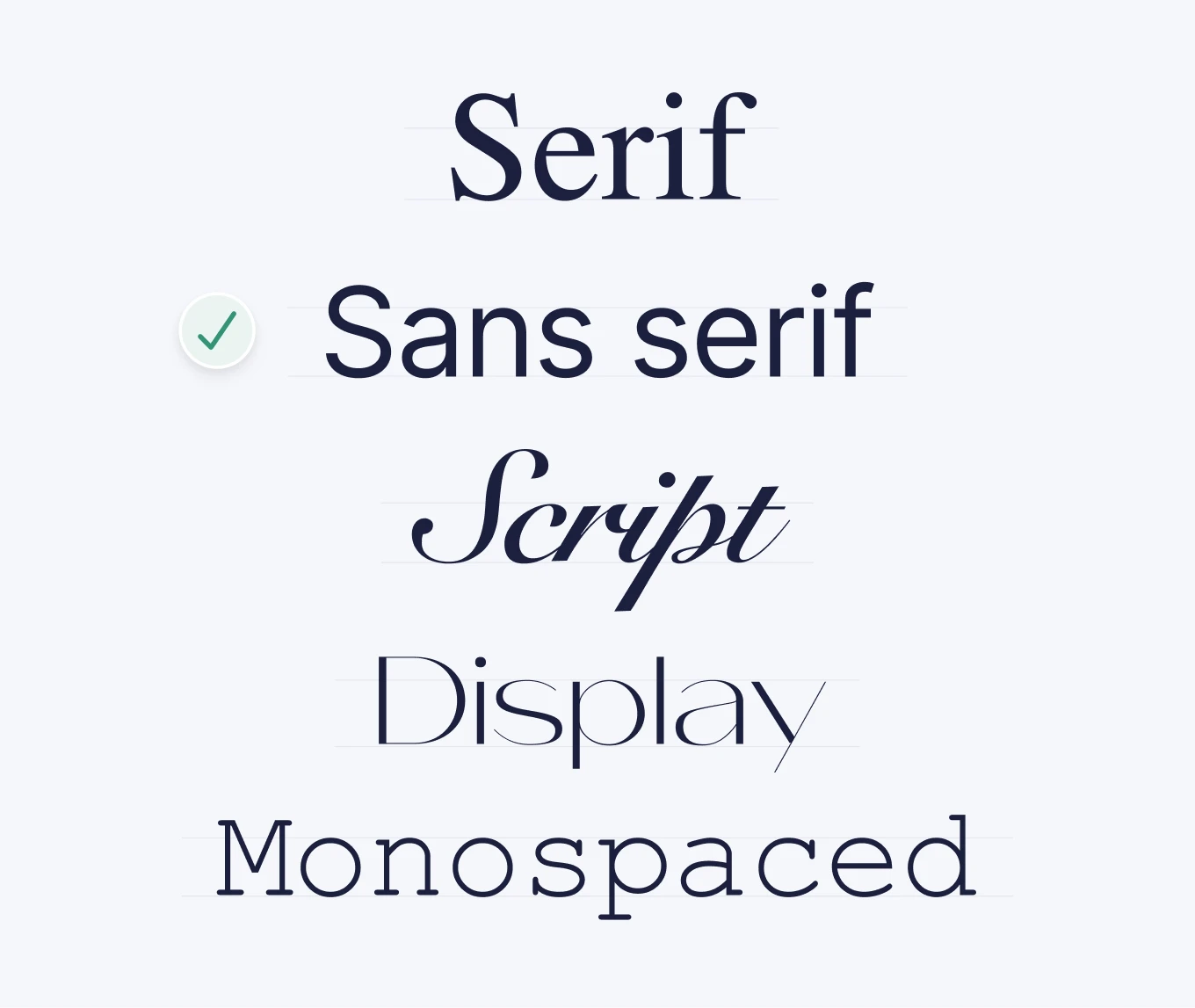
- Serif – Fonts with small “feet” or strokes at the ends of letters. These give traditional and formal vibes.
- Sans-Serif – Clean fonts without extra strokes. It is ideal for modern, minimalist designs and is optimized for screens.
- Script/handwriting – More artistic styles are good for special cases.
- Display/Decorative – Unique and eye-catching fonts designed for headlines, not body text.
- **Monospace -**Technical font where all characters have the same width.
how to optimize typography
- Line Height: The vertical space between lines of text.** Aim for 1.5x the font size for comfortable reading.**
- Font Weight: Refers to how bold or light a font is (e.g., 400 = Regular, 700 = Bold).** Use heavier weights for headings and lighter ones for body text.**
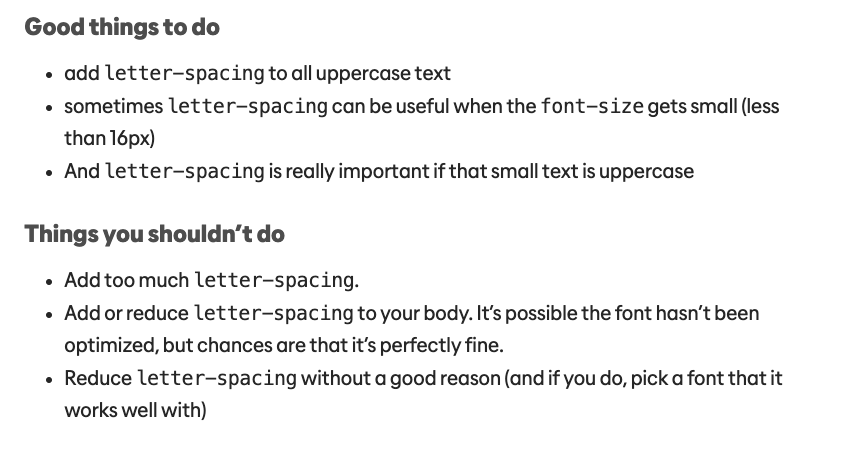
- Letter Spacing: The space between letters. The bigger the text, the less space is needed.
3 golden rules for picking website fonts
-
Readability is top priority:No matter how beautiful a font looks, it needs to be easy to read. Sans-Serif fonts are often best for this.
-
**Align Fonts with Brand Personality:**Is your brand modern, playful, elegant, or corporate? And the most important rule:
-
**Stick to 1–2 Fonts:**Keep it simple. One font for headings and one for body text is usually enough.
quick process for picking the perfect font
1. Define Your Brand’s Personality:
- Modern? Choose a clean Sans-Serif.
- Classic or elegant? Opt for a Serif.
- Fun and playful? A bold Display font could work.
2. Start with the Body Font:
- Go to Google Fonts and pick a font that looks good to you.
- If you don’t know where to start, stick to web-optimized fonts like Inter,** Roboto**, or** Open Sans**.
3. Choose a Heading Font That Stands Out:
- Now find something bolder or more stylized to contrast your body font.
4. Test Fonts in Real Context
- Apply them in your website layout.
- Check how they look in headlines, buttons, and body text.
- Adjust line height, font size, and spacing for balance and clarity.
5. Check Accessibility & Responsiveness:
- Ensure the text is readable on all devices and meets accessibility standards (contrast ratios, font sizes).
6. Finalize & Stay Consistent:
- Once you’ve made your picks, define clear typography styles (for headings, subheadings, body text) and use them consistently.
best tools for choosing fonts
- 🎨 Google Fonts – Huge library of web-safe fonts with pairing suggestions.
- 🔍 WhatFont – Identify fonts on any website to build your inspiration board.
- 📏 Type Scale – Helps create a consistent font size hierarchy.
- 📂 Fonts In Use – See real-world examples of fonts in action across industries.
Mastering fonts shouldn’t be hard.
- Learn the basics
- Choose 1-2 fonts for each website.
- Use tools and build an inspiration board.